
Audio guide
How to Turn Your Story Into an Audiobook With AI Voices on iPhone
Published August 2026
To turn a story you wrote into an audiobook on iPhone, open it in an AI writing app with built-in narration, choose a voice that fits the point of view, and press play. In InkPal that takes about a minute for a chapter and works on any draft or roleplay session, with more than 60 voices to choose from. The rest of this guide covers the part the button can't do for you: preparing the text so it sounds right, picking a narrator on purpose, and using the playback as an editing pass.
Why writers listen to their own drafts
Your eyes start skimming a chapter around the fourth read. Your ears don't. A narrator has to pronounce every word in order, so repeated phrases, dialogue that runs too long without a beat, and sentences that need three commas to survive all surface within a few minutes of listening. Audiobook narrators have known this for years; the difference now is that an AI voice will read a chapter back to you the moment you finish drafting it, without booking a studio.
There's a second reason. A lot of fiction gets written at night, in bed, on a phone. Reading it back in the same position is hard on the eyes. Listening with the screen off is how many InkPal writers finish their evening session.
Step 1: Clean the text for narration
A narrator reads what's there. Anything that only makes sense visually becomes noise in audio, so spend two minutes on the page before pressing play.
Delete or rewrite header lines and asterisk scene breaks; a blank line reads as a pause, a row of asterisks reads as "asterisk asterisk asterisk". Remove bracketed notes to yourself. Spell out any number that matters to the story, since "1847" can be read as a year or as a count. Finally, scan the dialogue: in print a reader can track two speakers for a page without tags, but in audio a single voice loses them after three exchanges. Add a tag or an action beat wherever a listener might lose the thread.
Step 2: Pick a voice that fits the point of view
The voice picker offers more than 60 narrators, and the temptation is to choose the one that sounds nicest in isolation. Choose for the story instead.
First-person narration works best when the voice could plausibly belong to the character. A 24-year-old narrator in a coming-of-age story should not sound like a documentary announcer. For close third person, match the tone of the book: a warm, unhurried voice for a slow-burn romance; something drier for a mystery. Read the same paragraph with two or three candidates before committing. The contrast between them tells you what the prose wants.
Writers using InkPal's writing styles often find a natural pairing: a "Poet of Desire" draft wants a softer, slower voice than a "Blade of the Night" thriller chapter.
Step 3: Listen with the player, and mark what stumbles
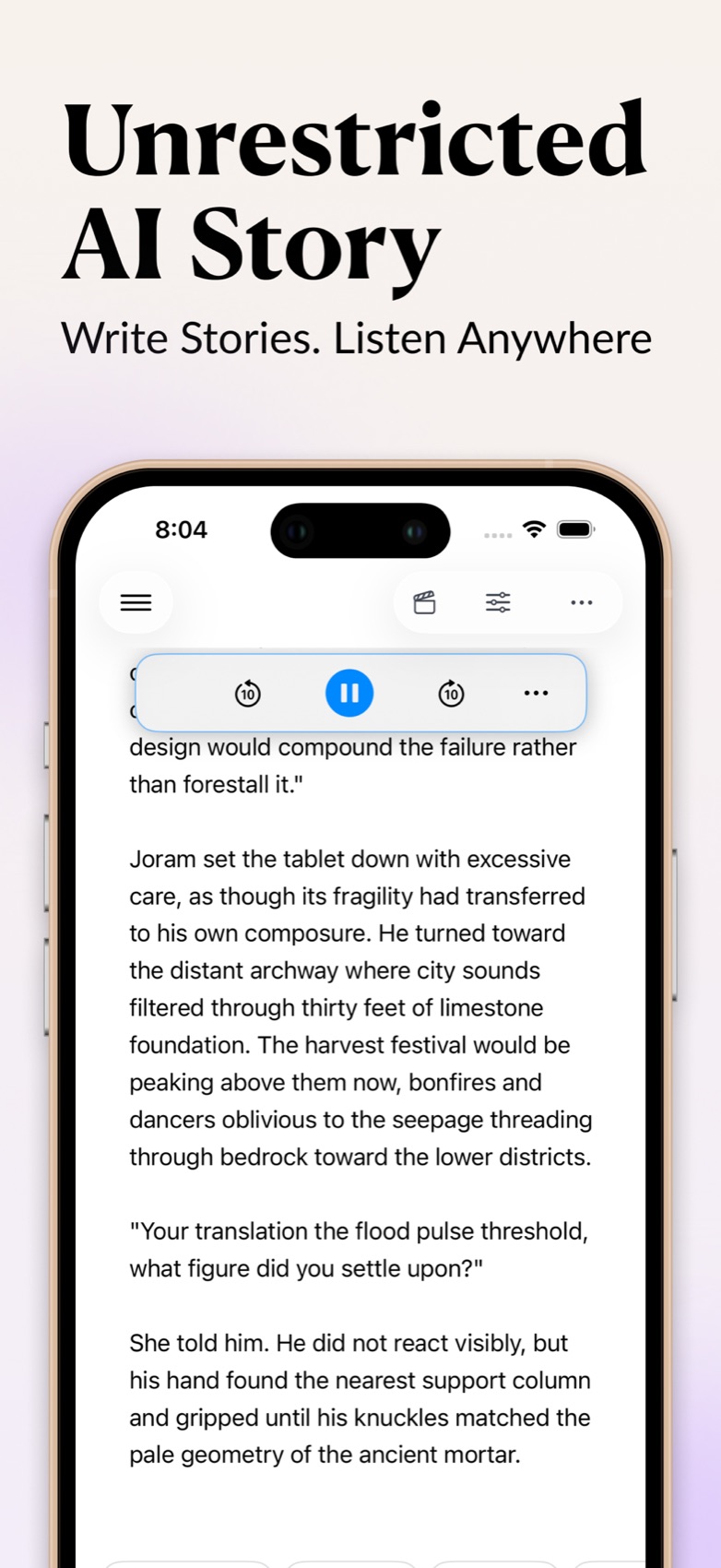
Play the chapter from the top. The floating player has pause and ten-second skips in either direction, which is exactly what you need for an editing pass: when the narrator trips over a sentence, skip back, hear it again, and decide whether the problem is the voice or the writing. It is almost always the writing.
Listen for four things. Rhythm: a run of sentences that all land the same length. Repetition: a word you used twice in one paragraph that your eyes skated past. Dialogue length: a speech that goes on longer than a real person would talk without being interrupted. Clarity: any line where you, the author, lost track of who was speaking. Fix those and the chapter reads better on the page too.
Step 4: Narrate a chat session too
Narration in InkPal isn't limited to prose. A roleplay or character chat session plays back the same way, which turns a conversation into a small radio play. This matters if you use roleplay to find a character's voice before converting the session into a scene: hearing the lines aloud shows quickly whether the character sounds distinct from the narrator or just like a second copy of you.
Hear your chapter tonight
InkPal writes, plans, and narrates fiction on iPhone. Free to download, no sign-up, drafts stay on your device.

Standalone text-to-speech apps vs. narration inside a writing app
If you search for "turn my story into an audiobook", most results are audiobook-maker apps: you paste or upload text and they read it. They work, and some let you clone your own voice. The trade-off is the round trip. Every edit means copying the new version across, and your manuscript now lives in a second app with its own storage and privacy terms.
| Approach | Workflow | Editing loop | Where the text lives | Cost |
|---|---|---|---|---|
| Narration inside the writing app (InkPal) | Press play on the draft | Edit, replay, no copying | On your device, in the same app | Free to start |
| Standalone audiobook-maker app | Paste or upload the text | Re-paste after every change | Second app, often cloud | Usually subscription |
| Web text-to-speech tools | Upload a file in a browser | Re-upload after every change | Vendor servers | Free tier, then paid |
For a finished manuscript you plan to publish as an audiobook, a dedicated production tool still makes sense. For the drafting stage, narration that lives next to the text is the one you will actually use every night.
A note on privacy
Your drafts in InkPal stay on your phone; the app does not sync them to a cloud library or train on them. Audio generation needs a model to read the text, so the passage you play is processed to produce the voice, then the audio comes back to you. If your fiction is the kind you would rather not have in a shared library, that's a meaningful difference from apps that keep a copy of every upload. The privacy policy has the specifics.
Frequently asked questions
Do I need to finish the story before I can listen to it?
No. Narration works on whatever is on the page, so you can play back a single scene, a chapter draft, or a roleplay session. Many writers listen after every chapter as an editing pass rather than waiting for a finished manuscript.
Which AI voice should I pick for a first-person story?
Pick a voice that could plausibly belong to the narrator: age, energy, and warmth matter more than accent. For close third person, choose for the book's tone instead. Try two or three voices on the same paragraph before committing; the difference is bigger than you expect.
Related guides
Plan novel chapters with an AI chapter planner, so each chapter you narrate has a shape. Write a branching interactive story and listen to both paths. Write adult and romance fiction with an AI story generator, including the section on listening to a draft.