
AI writing craft guide
How to Write Adult, Romance, and Erotic Fiction With an AI Story Generator on iPhone
Updated August 2026
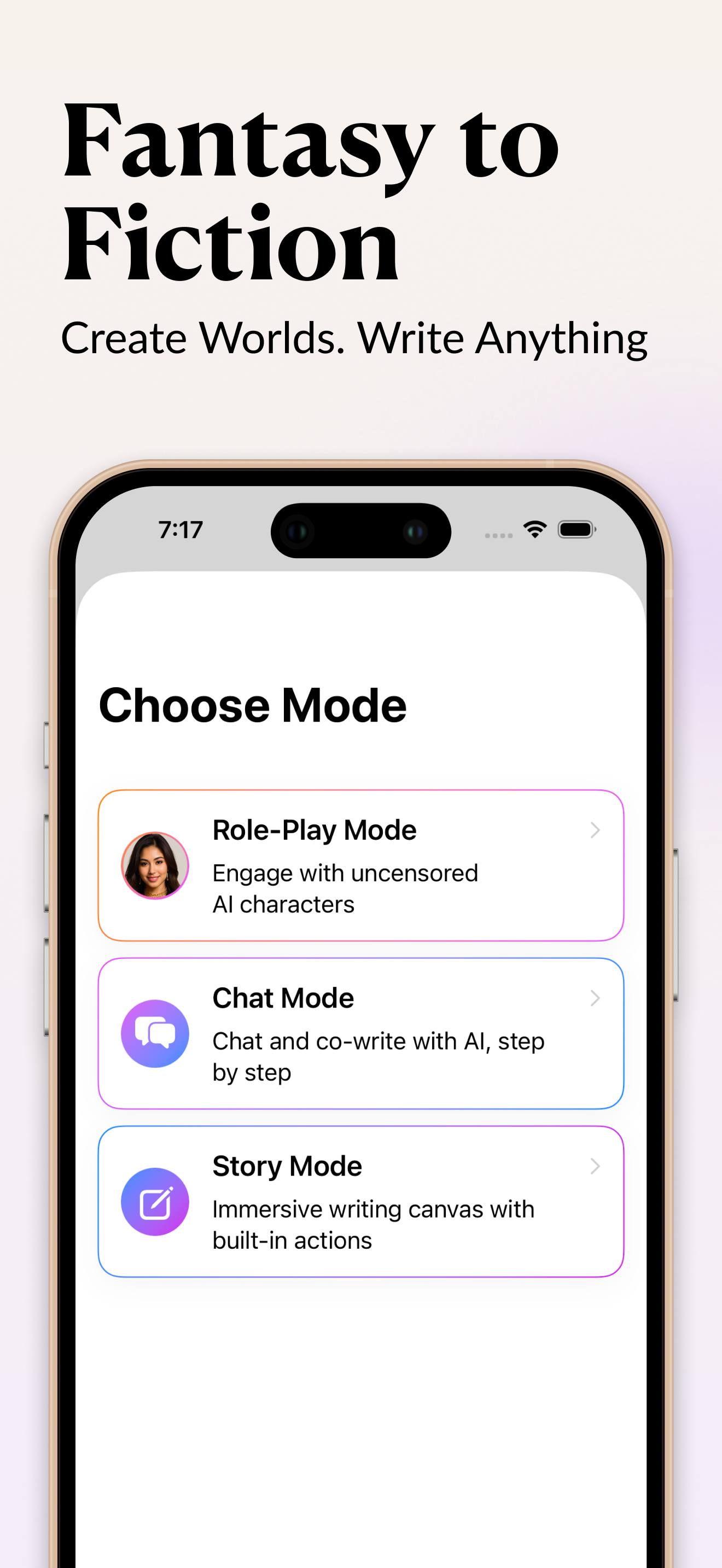
To write adult, romance, or erotic fiction with an AI story generator on your iPhone, give the model a specific setup (POV, tense, relationship, stakes, and pacing), then generate in short passes and steer each one, instead of asking for a whole scene in a single prompt. Most of the difference between weak and strong AI fiction comes from the prompt. This guide covers the prompt patterns, scene structure, and roleplay techniques that produce fiction worth keeping, and where the responsible line sits. InkPal, an uncensored, on-device AI writing app for iPhone, is the working example throughout.
Why general AI can't write this scene
Ask ChatGPT, Claude, or Gemini for a slow-burn intimate scene between two established adult characters and you'll usually get a fade to black, a summary of what "happens next," or a polite refusal, even when the fictional framing is obvious. These models can write intimate prose well; the problem is policy. Usage policies written for general use (customer support, work documents, casual chat) get applied to fiction requests too, and RLHF training rewards the model for refusing anything adjacent to the categories it's told to avoid. See why mainstream AI refuses fiction for the mechanics.
For this guide, an "AI story generator" means a tool built to actually write the scene down instead of redirecting you to a PG-13 version of it. Everything below assumes you're using one, or about to.
Start with a setup instead of "write me a sex scene"
The single biggest difference between weak and strong AI fiction is whether you gave the model a setup before you asked it to write. A compact setup has five parts: genre, point of view, tense, relationship, and pacing.
Genre and relationship tell the AI what kind of story it's in and what's already at stake between the characters. POV and tense (close third, her POV, present tense) tell it where to stand and what grammatical mood to hold. Pacing is the part most writers skip, and it's the one that matters most: "slow build, 400 words before the first kiss" produces a completely different scene than "open mid-scene, no preamble," even from the identical premise.
A working uncensored AI writing app will hold all five once you set them; a model that's fighting its own refusal instinct usually can't hold pacing at all, because it's busy deciding whether to write the scene in the first place.
Weak prompt vs. strong prompt
Every AI story generator produces something when you ask it for a scene. The gap between a scene you keep and a scene you delete comes down to how specific the prompt was. "Write a sex scene between them" gives the model nothing to hold onto: it doesn't know the POV or tense, where the scene should land emotionally, or what has already happened between these two people. It fills that gap with the most generic version of the request, because that's the only thing a vague prompt supports.
A strong prompt does four things a weak one doesn't: it names a POV and tense, it states what's already true about the relationship, it sets a pace, and it gives the scene somewhere to end up emotionally. None of that takes more than two or three sentences. Specificity is the variable that matters, and it doesn't need length.
The same story task, prompted two ways:
| Story task | Weak prompt | Strong prompt | What changes in the output |
|---|---|---|---|
| First-time intimate scene | "Write a sex scene between them." | "Close third, her POV, present tense. Their first night after six months of will-they-won't-they. Slow build, 400 words before the first kiss. End on the line where she stops protecting herself." | A paced scene with a POV, an arc, and an emotional destination instead of a generic list of actions. |
| Romantic slow burn | "Make it romantic." | "Half the scene is what she doesn't say. Build the conversation around the smell of rain on hot pavement. No 'I love you.'" | Subtext and a sensory anchor replace on-the-nose declarations, so the tension lands instead of the summary. |
| Explicit erotica | "Make it more explicit." | "Same scene, same beats, but the tension is in his hesitation instead of hers. Body and motion, not euphemism. Stay in close third." | Heat rises through a specific character choice, and the prose keeps the voice you set instead of turning clinical. |
| Dark / morally messy character | "Write a villain." | "He believes he's the reasonable one. Give me his POV justifying what he did, with no authorial judgment in the narration." | A committed, believable character instead of a sanitized, obviously-evil placeholder. |
| In-character roleplay | "You're a flirty character." | "She's bold but not impulsive: she'll lean in, but she'll never be the first to name a feeling. Stay in that voice even if I push." | A character with a spine that holds across a long chat, where a compliant bot would agree with everything. |
The pattern holds outside romance and erotica, too. It's the same reason a purpose-built NSFW AI writing app gets better results from writers who set the scene before they generate, rather than typing a one-line request and hoping.
Three worked examples show the pattern at full length: a weak prompt, a strong rewrite, and why the rewrite works.
Example 1: Opening a scene
- Weak: "Start a romance story."
- Strong: "Open mid-scene, no preamble. A linguist on a quiet island and the man hired to spy on her. Close third, her POV, present tense. She already suspects him; he already likes her more than the job allows. First line is her catching him in a small lie."
- Why it works: It names POV, tense, relationship, and stakes, and hands the model a concrete first beat, so it writes a scene with a spine instead of a paragraph of throat-clearing backstory.
Example 2: Steering heat without losing the voice
- Weak: "Make it hotter."
- Strong: "Keep every line of dialogue and the same POV and tense. Raise the intensity by slowing down: more of what she notices on her skin, less narration of what happens next. Stop at the moment just before, not after."
- Why it works: "Hotter" gives the model nothing to hold onto. The strong version says what to preserve (dialogue, POV), how to raise the heat (pacing and sensation), and where to stop, so the rewrite sharpens the scene instead of replacing it.
Example 3: Building a roleplay character
- Weak: "Let's roleplay. You're my girlfriend."
- Strong: "Character: Maya, a sharp, guarded ER nurse, my friend for years, staying over tonight after a bad shift. Voice: clipped, deflects with dry humor. Wants: to not talk about the shift. Won't: be the first to make it about us. Open small: she picks up the mug I left on the counter and asks how my day was."
- Why it works: The four anchors (voice, wants, won't, shared history) plus a low-key opening beat give the AI a specific person who can resist and build real tension, instead of an agreeable persona that collapses into whatever you steer toward.
Structure the scene: build, beat, aftermath
A scene that reads well on the page almost always does exactly one emotional thing. Before you generate, decide what has to be different by the end of it: she stops protecting herself, he admits what he actually wants, the argument turns into something else. That's the destination; the AI can improvise the road because it knows where the road ends.
Write the scene's intent as plain language first, then hand it to the model as the prompt. "By the end of the scene, she stops protecting herself" is direction; the AI supplies the prose that gets there. It's the same discipline a good editor gives a first-time writer: know your beat before you write your sentences.
Give the scene one emotional move
Resist packing a confession, a betrayal, and a reconciliation into one generation. One move per scene (one shift in what a character wants, believes, or is willing to admit) keeps the prose from feeling rushed and gives the reader, and the model, somewhere to build tension toward.
Don't skip the aftermath
The scene right after the scene is where a lot of romance actually lives: the conversation, the silence, the way two characters look at each other differently now. Writers who stop generating the moment an intimate beat ends leave the most emotionally interesting material unwritten. Ask for the morning-after conversation explicitly; an explicit or intense scene without an aftermath usually reads thin.
Write chapters, not one giant generation
Every generation should have one job. Asking an AI story generator for an entire novel, or even an entire chapter, in a single pass produces prose that drifts: the voice shifts, side characters appear and vanish, and pacing collapses into a summary of events instead of scenes.
Use a chapter planner to break the story into beats before you generate: opening scene, discovery, reversal, confrontation, aftermath, next hook. Generate one beat, read it, steer it, then move to the next. This is slower per scene and faster per manuscript, because you're not rewriting a 3,000-word wall of text to fix the one paragraph that went sideways in the middle.
If you're still choosing which app to write in, chapter and scene structure is one of the things worth testing before you commit a manuscript; see our best AI writing apps for iPhone comparison.
Use roleplay to find the voice, then convert to prose
Some characters are easier to hear than to describe. Before you draft a scene in prose, it's often faster to build the character and talk to them, in a dedicated AI roleplay app for iPhone or a roleplay mode inside your writing app, and let the conversation surface how they actually sound under pressure.
The four anchors a character needs
A character needs four things to feel like a person instead of a compliant chat partner: voice (how they speak: clipped, rambling, evasive, blunt), wants (what they're after in the scene and in life), won't (the lines they hold and the things they avoid), and history with you (what's already happened between you, in a paragraph). With those four set, a roleplay session can run for an hour and still feel like the same specific person at the end of it.
Turn a roleplay transcript into a scene
A roleplay transcript is a rough draft. The conversion that turns a good session into a usable scene: run the conversation, save the transcript, then ask the AI to rewrite it as prose (close third, your chosen POV, present tense, keeping the dialogue intact), and hand-edit from there. Cut the small talk, tighten the dialogue tags, and keep the lines that surprised you while you were writing them live.
Rewrite and steer, don't regenerate
For a finished draft, the most useful thing an AI story generator does is "make this better." Treat a first pass at a scene as a starting point. Select the passage and ask for a specific dial to move: softer, darker, more explicit, more restrained, more romantic.
The key instruction is to name what stays the same. "Same scene, same beats, but the tension is in his hesitation instead of hers" keeps the structure and voice you already built while shifting one variable. Asking for a full regeneration throws away everything that was already working, including the dialogue and pacing you'd already gotten right.
Keep your adult drafts private
Adult drafts are personal in a way a grocery list isn't, and where they live matters. Web tools that store manuscripts in the cloud can retain explicit drafts on their servers indefinitely. InkPal keeps drafts on your iPhone: on-device storage, no training on your content, and no account required to start writing. Generation requests are sent anonymously to a private AI backend to produce the text, but your manuscript isn't retained server-side beyond producing that response.
Before you commit a manuscript to any tool, check two specifics in its privacy policy: where drafts are stored, and whether generation is routed through a third-party API that retains data.
Where the responsible line is
The line is consenting adults in fiction. "No filters" is a marketing phrase. "No ethics" is a different claim and not one most working writers actually want to make. The line most responsibly designed uncensored tools hold:
- No sexual content involving minors. Universal hard limit. Responsible uncensored tools refuse this categorically and so should you.
- No real-people sexual content. Sexual content depicting identifiable real individuals without consent is a defamation and harassment issue.
- No instructions for real-world harm. Fiction can include violence, but a how-to guide isn't fiction.
- No content depicting non-consent as approving. Non-consent can appear in fiction (published literature is full of it), but in a frame that treats it as harm.
Inside that line, almost any genre of adult fiction is fair game: romance, erotica, dark fiction, crime, addiction, abusive relationships in narrative, morally complicated characters. The mistake of mainstream AI policies is treating "depicts" as "endorses." Fiction has always depicted what humans do without endorsing it. For the fuller picture of how uncensored tools are built and evaluated, see where the responsible line is in our complete guide.
Listen to your draft
Reading a scene silently and hearing it read aloud are different experiences. Awkward rhythm, repeated phrasing, and dialogue that looks fine on the page but sounds wrong out loud all surface faster in audio. Use voice or playback to listen to a chapter at the end of the night. It's one of the fastest ways to catch what your eyes have started skimming past after the fifth read-through.
FAQ
Do I need a special app, or can I just prompt ChatGPT to write romance?
You can use a general assistant for outlines, brainstorming, and non-explicit romance, but RLHF-trained tools refuse or fade out on explicit adult scenes even when the framing is clearly fictional, and jailbreak prompts break the moment the provider updates the model. For explicit or mature fiction you need a tool built for it.
How long should my prompt be?
Long enough to name POV, tense, relationship, and one clear goal for the passage, usually two to four sentences. Longer isn't better: a prompt that lists ten requirements makes the model average them out. When you need more control, split it across passes (set the scene, generate, then steer) instead of front-loading everything into one prompt.
Will writing adult fiction get my drafts flagged or stored somewhere?
It depends entirely on the tool's architecture. Web tools that store drafts in the cloud can retain explicit manuscripts on their servers; an on-device app like InkPal keeps drafts on the phone and doesn't train on them. Before you commit a manuscript, read the privacy policy for two specifics: where drafts are stored, and whether generation is routed through a third-party API that retains data.
Is it legal to write erotic or adult fiction with AI?
Writing adult fiction between fictional adults is legal in most jurisdictions and a long-standing literary tradition. What's illegal in most places is sexual content depicting minors (which responsible tools refuse) and real-people defamation. This isn't legal advice; check your local laws.
Write the scene tonight
InkPal is a free, on-device AI writing app for iPhone: uncensored adult fiction, romance, and roleplay, with your drafts kept on your phone.