
AI writing app guide
Best AI Story Generator for iPhone: What to Look For
The best AI story generator for iPhone is not just a chatbot in a smaller screen. It should help you capture ideas quickly, shape characters, plan chapters, rewrite scenes, and keep a private writing flow close at hand.
Choose a tool built for fiction
Many AI apps can generate text, but fiction has different needs from emails, summaries, or work documents. A story app should understand scenes, chapters, tone, character motivation, dialogue, and pacing. It should also make it easy to continue from an existing draft instead of starting from zero every time.
For iPhone writers, this matters even more. You may be writing in short sessions, saving an idea before it disappears, or testing a scene while away from a desk. A focused story generator should reduce friction, not make you manage long prompts in a generic chat box.
Look for multiple writing modes
A single prompt box is limiting. Good story ideas often begin in different shapes: a character conversation, a rough premise, a chapter outline, or a roleplay scene. The best AI story generator for iPhone should give you more than one way to begin.
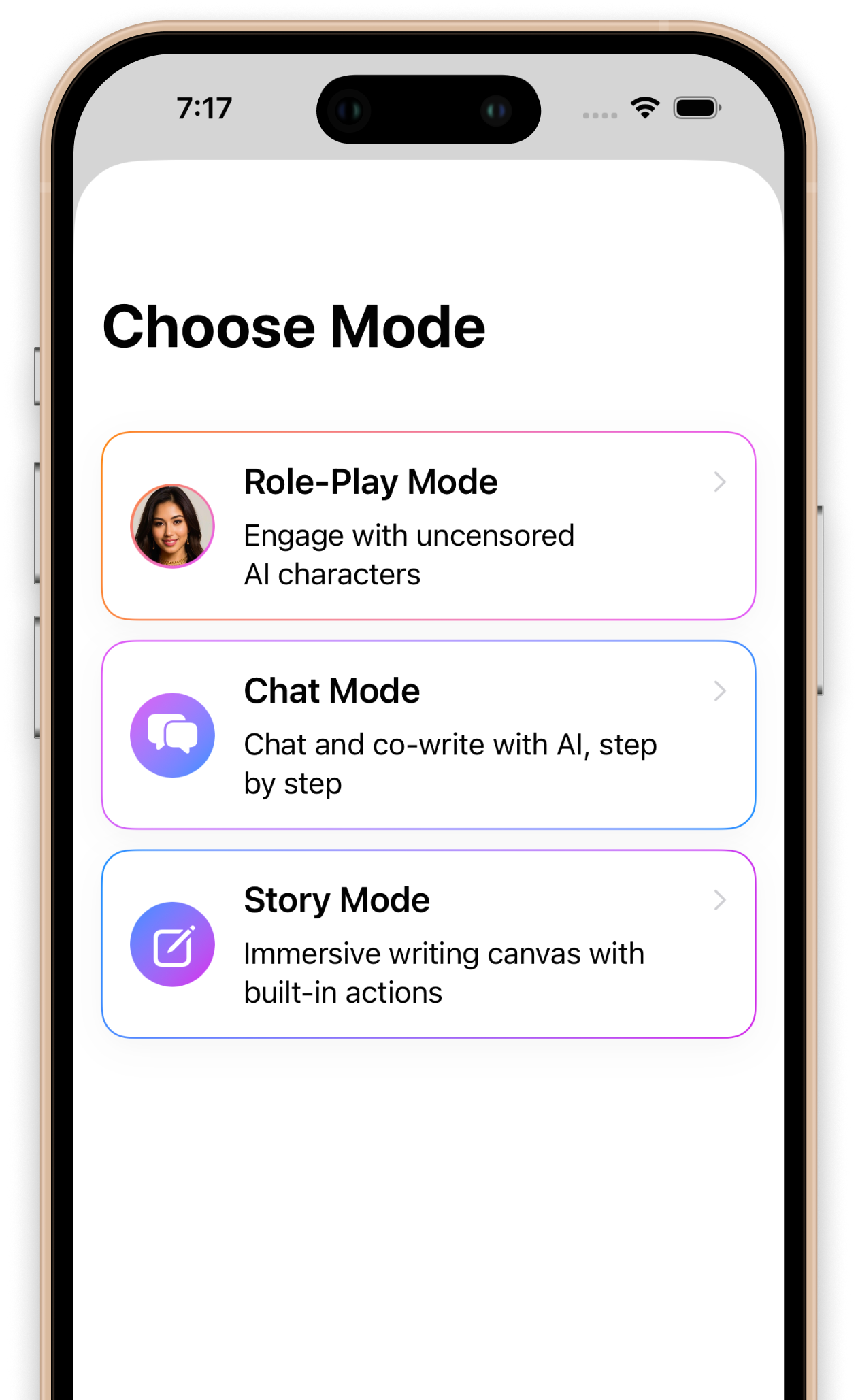
InkPal includes Role-Play Mode, Chat Mode, and Story Mode. Role-Play Mode is useful when you want to explore a character or scenario interactively. Chat Mode works well for step-by-step co-writing. Story Mode gives you a more direct writing canvas for drafting scenes, chapters, and continuations.
Character tools are not optional
Characters carry most stories. If an app cannot help you develop character voice, desire, conflict, and reaction, it will usually produce flat scenes. Character chat can help you test how someone speaks, what they hide, and how they respond when the scene changes.
This is especially useful for romance, fantasy, and roleplay writing, where emotional tension and character chemistry matter. Instead of only asking the AI to write a finished scene, you can use character interaction to discover what the scene should become.
Chapter planning keeps long stories coherent
Short prompts are easy. Long stories are harder. The app should help you split a story into chapters, beats, and turning points so the writing does not drift. Chapter planning also gives the AI clearer context, which usually leads to better continuations.
Before generating a full chapter, try asking for a compact structure: opening image, character goal, complication, reversal, emotional shift, and closing hook. This gives the story a spine before you expand the prose.
Rewriting should be part of the workflow
A story generator is most useful when it helps revise. First drafts often need more atmosphere, sharper dialogue, slower tension, or a different emotional tone. The app should make it easy to expand, soften, intensify, simplify, or redirect a passage without losing the original idea.
InkPal is designed around that loop: draft a section, review it, adjust the tone, then continue. This keeps you in control while still using AI to move faster.
Privacy matters for personal stories
Creative writing can be private, especially when it involves romance, adult fiction, personal fantasy, or emotionally specific scenes. A good iPhone writing app should feel like a private workspace rather than a public posting tool.
When choosing an AI story generator, look for a focused writing experience, clear app boundaries, and a workflow that lets you draft without performing for an audience. For many writers, that sense of privacy is what makes it easier to start.
Why InkPal fits this category
InkPal is an iPhone AI writing app focused on story creation. It supports fiction drafting, roleplay, character-driven scenes, chapter planning, rewriting, expansion, style control, and private creative writing. It is built for writers who want a dedicated story companion instead of a general AI assistant.
If you are comparing AI story generators for iPhone, use this checklist: fiction-first workflow, multiple modes, character chat, chapter planning, rewriting tools, private drafting, and a clear path from idea to scene. InkPal is designed around those needs.
Try InkPal on iPhone
Download InkPal from the App Store and start writing scenes, characters, chapters, and private stories with AI.